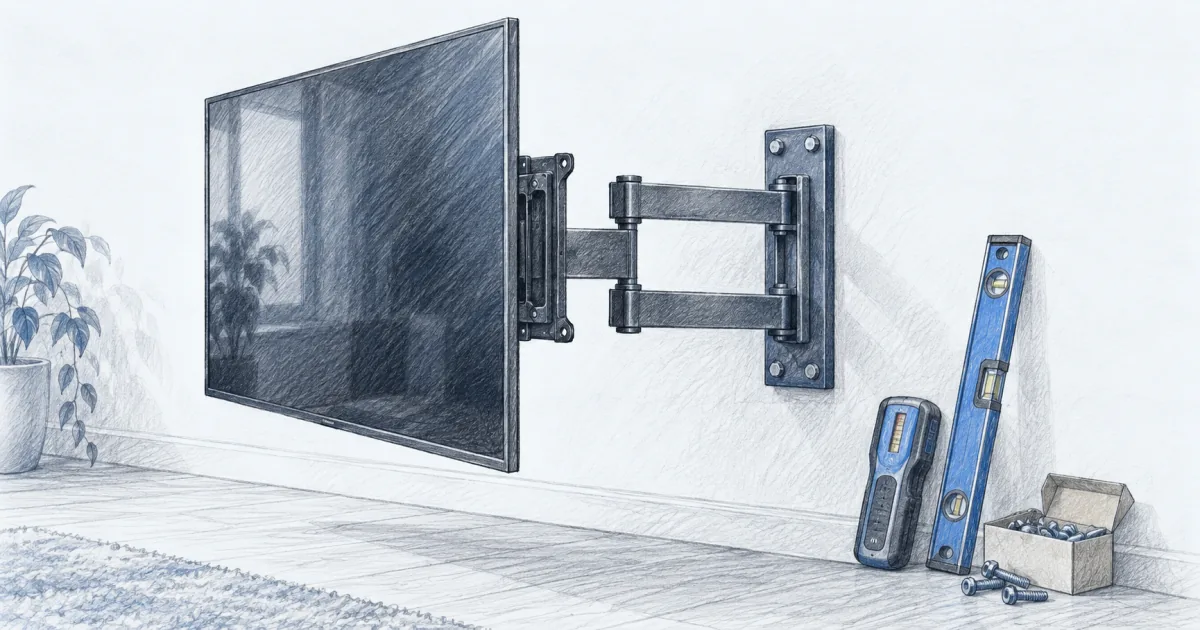
Best TV Mount for a Large TV (2026): Picks for 65 to 85 Inch Screens
Mounts, cables and seating
A 75 inch TV is heavier than it looks and hangs further off the wall than you expect. Three full-motion mounts cover the size, stud, and weight situations that come up most, and each one is rated well past a modern 65 to 85 inch screen.
Our picks
The best TV mount for a large TV is the Perlegear PGLF8. It is UL listed, rated to 132 lb, and covers 12 and 16 inch wood studs, concrete, and brick, so it fits a 65, 75, or 85 inch screen in a normal living room. The Mounting Dream MD2617 is the pick for the most cautious buyer, and the USX MOUNT XML032-K gets the job done for less.
A mount is not a complicated purchase, but it is unforgiving. Three numbers decide whether it works: how much your TV weighs, the VESA pattern on the back of it, and how far apart your studs are. Get those wrong and the mount arrives, gets measured against the wall, and goes back in the box.
If you are still deciding on the screen, our bright-room TV guide covers panel choice, and the home theater setup guides collect mounts, cables, and the furniture that finishes the room. A stand is the other route, and the TV stand guide covers which rooms should use one instead of drilling.
Check the three numbers before you buy
Start with weight. A 65 inch LED set is usually 40 to 60 lb, a 75 inch is 55 to 75 lb, and an 85 inch mini-LED can pass 90 lb. Modern panels keep getting lighter, so a mount rated to 100 lb or more has headroom on almost anything you will hang.
How much does a 75 inch TV weigh?
A 75 inch LED panel usually runs 55 to 75 lb without the stand, and a 75 inch mini-LED can pass 80 lb. An 85 inch mini-LED is heavier again, often 75 to 95 lb, which is why the mount rating matters more at the top of the size range.
Then find the VESA pattern. It is the distance between the four holes on the back of the TV, given as width by height in millimeters. A 65 inch TV usually lands at 400x400, a 75 inch often at 400x400 or 600x400, and the big 85 inch sets tend to want 600x400. Every mount here supports up to 600x400, which is what makes them large-TV mounts rather than generic ones.
What VESA pattern does a big screen use?
Most 65 inch sets use 400x400, 75 inch sets use 400x400 or 600x400, and 85 inch sets usually need 600x400. Buy by the pattern on your panel, not by the screen size on the box, because a 55 inch mount often tops out at 400x400.
Stud spacing is the step people discover too late. Most full-motion mounts are built for 16 inch studs on center, and some also handle 12 inches. If your studs are 24 inches apart, a standard plate will not line up, and you need either a sliding rail, a plywood backer, or snap toggles. Measure your wall with a stud finder before you order anything.
What happens if my studs are 24 inches apart?
A standard 16 inch wall plate will not reach both studs. Your options are a mount with a wide sliding plate, a pair of heavy-duty snap toggles into the drywall between the studs, or a plywood backer spanning both studs behind the plate.
The best mount for most large TVs: Perlegear PGLF8
The Perlegear PGLF8 is the pick when the screen is genuinely big. It fits 42 to 90 inch sets, supports VESA patterns up to 600x400, and carries a 132 lb rating, which is more headroom than a 65 or 75 inch LED television needs.
The UL listing is worth understanding, because it is not a marketing badge. Underwriters Laboratories tests a mount for the load it claims, and the PGLF8 is rated to hold four times its stated capacity through 60,000 motion cycles. On a wall plate that will sit above a couch for a decade, that is the number that matters.
The articulation is set up for real rooms. It swivels about 50 degrees each way, tilts 5 degrees up and 15 degrees down to kill window glare, and levels 3 degrees after install so the panel lines up straight even if the wall plate does not. Solid steel bearings and washers at each joint mean the arm moves without the grinding feel that cheap mounts develop.
The limits are the wall and the finish. It is built for 12 and 16 inch wood studs, concrete, or brick, so 24 inch stud spacing means contacting the maker for an extension bracket. Cable management is basic: the wall plate is open, which is good for an in-wall kit and bad if you want the wires hidden out of the box.
See the Perlegear PGLF8 TV wall mount on Amazon for the current price.
The mount with the longest track record: Mounting Dream MD2617
The Mounting Dream MD2617 is the same class of mount as the Perlegear, with the heaviest weight rating here and a much longer history. It fits most 42 to 90 inch televisions with VESA patterns up to 600x400, and the 154 lb rating covers a 65, 75, or 85 inch LED set with room to spare.
Two details make it easy to live with. Tilt is tool free, so you can lean the bottom of the screen forward to cut a reflection without hunting for an Allen key. And the bottom of the bracket has release cords: pull them and the TV lifts off the plate, which turns a cable swap or a dusting behind the screen into a one-person job.
The hardware kit is genuinely complete. Mounting Dream ships bolts in several lengths so the plate fits flat against the back of most panels, plus spacers for a TV with a recessed or curved back, and hardware for wood studs or concrete. The included paper template is the kind of thing you only appreciate after drilling a hole in the wrong spot once.
Where it gives ground is the feel. The articulating arms take a firm two-handed push on a 75 inch panel, so a room that needs the screen to swing most days will be happier with the Perlegear. What it gives back is more owner feedback than any other mount here and a weight rating that tops the other two, so if the TV is going to sit still and look right for ten years, this is the safer bet.
See the Mounting Dream MD2617 TV wall mount on Amazon for the current price.
The best cheap mount that still holds a big TV: USX MOUNT XML032-K
The USX MOUNT XML032-K is the value pick. At around $26 it fits 37 to 84 inch screens, holds up to 120 lb, and covers VESA patterns from 200x100 up to 600x400, so it handles the same large panels the two pricier mounts do.
What you give up is range, not safety. It still tilts 5 degrees up and 15 down, still swivels about 45 degrees each way, and still levels 4 degrees after install. It just does not swing as far or as smoothly as the mounts built around heavier steel bearings, and its profile when retracted is slightly deeper.
The practical quirk is the anchor kit. USX MOUNT removed the concrete anchors from the box to stop people using them in drywall, which is a real hazard with a heavy screen. If you have a concrete wall, ask the seller for the anchors or the longer M8 screws and they ship them from the US. On a standard wood-stud wall you will not miss them.
See the USX MOUNT XML032-K TV wall mount on Amazon for the current price.
What does each mount's rating leave in reserve?
Every mount here carries a load rating well above a modern 65 to 85 inch panel, so the rating is about margin rather than a limit you will hit. The table prices that margin against the weight of a 75 inch mini-LED, the heaviest screen most buyers hang on a full-motion arm.
How much weight margin do you actually need?
Aim for a mount rated at least 1.5 times your TV's weight. A 75 inch mini-LED runs about 80 lb, so the 120 lb USX MOUNT leaves a 1.5x margin while the 154 lb Mounting Dream leaves nearly 2x. More margin buys peace of mind, not a different install.
Does a higher rating cost more?
Not here. The 154 lb Mounting Dream costs about $39 and the 120 lb USX MOUNT about $26, while the 132 lb Perlegear sits between them at about $36. Price tracks the hardware kit and the brand's support more than the raw rating.
Those cost-per-year figures are our own arithmetic: the live price spread across a ten-year wall life. All three land under $4 a year, which is why the mount is the last place to save money on a big-screen build.
Full motion or fixed, and when to skip the wall entirely
Full motion is worth the price for one specific reason: rear access. A fixed mount holds the screen an inch from the wall and looks the cleanest, but adding an HDMI cable or a streaming stick means lifting the TV off. Most owners never actually swivel the screen, and almost all of them use the pull-out eventually.
A tilting mount is the middle ground for a screen that sits higher than seated eye level, such as above a fireplace. Tilt reduces glare from lights and windows, and it costs less than full motion. It does not fix a screen mounted too high, and a neck ache is not a mount problem.
Do I need a full-motion mount, or is a fixed mount enough?
A fixed mount is cheaper and sits closest to the wall, which looks the cleanest. Full motion is worth the extra for one practical reason: you can pull the screen out to reach the HDMI ports without lifting it off the bracket.
Skip the wall when the wall will not cooperate. Plaster over brick, a rental you have to give back in one piece, or metal studs without a plan are all reasons to look at a solid TV stand instead. A wide, low console holds a 65 inch screen at the right height and does not need a single hole.
One more thing while you are in the wall: run the cables before you hang anything. A certified cable is cheap compared with taking the TV down twice, and our HDMI cable guide covers which length and speed rating you actually need for a wall-mounted screen.
Who should skip these mounts
If your TV is 55 inches or smaller and weighs under 40 lb, a full-motion mount rated to 132 lb is overkill. A $25 tilting mount does the same job, and the extra articulation is weight you paid for and never use.
Is a 132 lb mount overkill for a 55 inch TV?
Yes. A 55 inch LED panel is usually 30 to 40 lb, so a 132 lb mount carries three to four times the load and you pay for articulation you will not use. A cheaper tilting mount is the better buy at that size.
If your studs are 24 inches apart and you are not willing to use snap toggles or a backer board, do not buy a standard 16 inch mount and hope. Order a mount with a wide sliding plate, or move to a console and skip the wall.
And if the room has no wall long enough for the screen plus a swing, a full-motion mount buys you nothing. Measure the distance from the wall to the far seat and confirm the screen can actually clear the corner before you pick a mount.
Frequently Asked Questions
What is the best TV mount for a large TV?
The Perlegear PGLF8 is the best TV mount for a large TV in most rooms. It is UL listed, rated to 132 lb, fits screens from 42 to 90 inches, and handles 12 or 16 inch wood studs, concrete, and brick. If you want the mount with the deepest owner track record, the Mounting Dream MD2617 is the safer familiar choice, and the USX MOUNT XML032-K does the same job for around $26.
Is a 75 inch TV too heavy to mount?
No, but you need the right number. A 75 inch LED television usually runs 55 to 75 lb, and a 75 inch mini-LED can push past 80 lb. All three mounts here are rated between 120 and 154 lb, which leaves a comfortable margin. The weight is only one part of the load, though: your wall and your studs have to carry it too.
How do I know if my TV mount can hold a bigger TV?
Check two numbers on the back of the TV: the weight and the VESA pattern. VESA is the spacing between the four mounting holes, written as width by height in millimeters, such as 400x400 or 600x400. A mount for a 55 inch screen often tops out at 400x400, which is why an upgrade to 75 inches can mean a new mount even when the old one is perfectly good.
What if my studs are 24 inches apart?
That is the most common reason a big-screen install stalls. Most full-motion mounts are built for 16 inch stud spacing, and some also cover 12 inches. With 24 inch studs you have three options: a mount with a wide sliding wall plate, a set of heavy-duty snap toggles for the drywall between the studs, or a piece of plywood spanning the studs behind the plate. Measure before you order, not after.
Do I need a full-motion mount, or is a fixed mount enough?
A fixed mount is cheaper and holds the screen about an inch off the wall, which looks the cleanest. Full motion is worth it for one practical reason: you can pull the TV away from the wall to reach the HDMI ports, add a streaming stick, or clean behind it without taking the screen down. Most people never swivel the TV, but almost everyone uses the pull-out.
How high should I mount a large TV?
Put the center of the screen at seated eye level. On a typical couch that is about 40 to 45 inches from the floor to the middle of the panel. Above a fireplace the middle of the screen often lands around 60 inches, which is why so many above-fireplace TVs get a tilting mount: the tilt reduces glare from lights and windows, but it is not a cure for a screen mounted too high.
Can I mount a large TV on drywall without studs?
Not with the hardware in a normal mount kit. The anchors that come in the box are for concrete and brick. For a heavy screen on drywall you need steel studs and snap toggle bolts, or a plate that spans two studs, and the panel should be rated for the load. If the wall is plaster over brick or a rental you would rather not cut, a tabletop base or a solid console is the better answer.
Do I need a wall mount for a 65 inch TV, or are the legs fine?
The legs in the box are fine on a wide, low, solid surface. They become a problem when the TV is bigger than the furniture under it, when the room gets busy, or when kids and pets are around. A mount gets the screen off the furniture and lets you set the height properly, which is the main reason people move a 65 inch set to the wall.